Acting as a Digital Artist and Technical Animator, contributed to diverse projects aimed at conveying specific messages. Focusing on creating lifelike simulations for characters and environments, serving as both a Character Effects Artist and Technical Artist. Utilizing CG tools and techniques to craft unique elements across various media platforms, I brought distinct ideas to life both to film, gaming and marketing industries.

Overall Process:
Character Effects Showreel, showcasing my work on the cinematic for “Assassin’s Creed Shadows” as part of the team at DIGIC Pictures as a CFX Artist. In this reel, I highlight the technical wizardry behind the scenes, bringing the characters and world to life.
Cloth Simulation and Mesh Fixes: Using both SideFX Houdini and Maya, I created a variety of simulations that bring characters and scenes to life with realistic dynamics and intricate detail. Watch as garments flow naturally with character movements, adding an extra layer of realism to the animation.
Role: CFX Video Game Cinematic Artist
Techniques: Vellum cloth and hair
Tools: Houdini SideFX and Maya
Assassin’s Creed Shadow
Video Game
2024
UBISOFT GAME STUDIOS
DIGIC PICTURES


The Little Mermaid
2023
Walt Disney Studios

Overall Process: Vellum cloth was used in the simulation setup to create a lifelike representation of the mermaid’s hair and fins, enhancing the animation’s overall fluidity and realism. To ensure visual integrity, we strategically applied sticky modifiers to resolve any mesh intersections. Additionally, a specialized vellum cloth setup was created for the cloth mantle interaction.
Techniques: Vellum cloth and hair
Tools: Houdini SideFX
Prey
2022
20th Century Studios
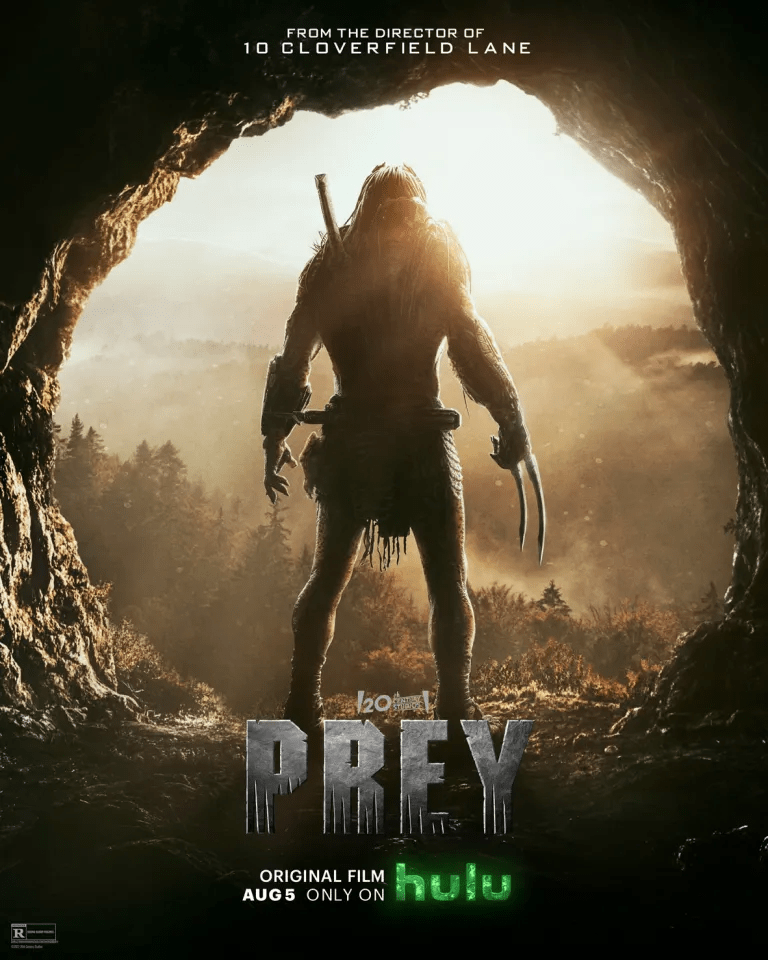
Overall Process: As a Technical Animation CFX Artist, I expertly used Vellum cloth to configure simulation attributes for the predator’s cloth and dreadlocks in each shot. Additionally, I seamlessly integrated Maya blend shapes into Houdini SideFX to create a cohesive and dynamic visual representation
Techniques: Vellum cloth, Shot sculpt
Tools: Houdini SideFX, Autodesk Maya
The Princess
2022
20th Century Studios
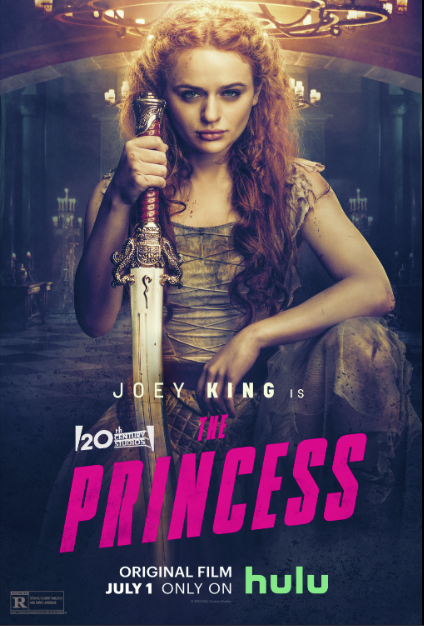
Overall Process: As a CFX Artist specializing in Technical Animation, I leveraged the prop’s curve as the primary driver for the simulation of the geometry mesh, ensuring precise and accurate movements. Employing the animation of the Swinging Mercenary as the force driving motion into the scene. At the same time, configuring the tower as the collider added depth and authenticity to the overall simulation.
Techniques: Vellum cloth
Tools: Houdini SideFX

Dog toy commercials
Overall Process: Chroma key green screen from dog shots. Rotoscoped finer details of dog that were not cleaned up by the chroma key removing process. Created Particle effects instancing previous created illustrations.
Techniques: Chroma Key (green screen), 2D Motion Track, Rotoscope, Particles Effects,
Tools: After Effects, and Mocha.
Mosquito Hunters Services Ad
Overall Process: Set up green screen equipment for filming. Filmed different takes and shots of action, leaving enough camera space to create different shots. Edited the video to have a final rough to apply the different visual effects needed. Recorded audio according to script. Edited Audio to rough video. Chroma key video shots. Used photoshop to create motion graphics content. Used After Effects to animate graphic content. Color Corrected Elements. Color Graded final product.
Tools: After Effects, Premiere, Audition, Photoshop, and Green Screen Set Up.
Techniques: Video Production, Video Editing, Audio Editing, Rotoscope, Chroma Key (green screen), Motion Graphics.

Elephant in the Hallway
Overall Process: Rotoscoped Elephant from original footage. 3D tracked hallway to get camera movement. Using track date, created masked plates for the hallway walls. Projection mapped the original walls into the 3D walls to recreate the shadows and light bounced upon the elephant proxy. Used color correction to match elephant to hallway. Finally, color graded the shot to create a more unique look.
Techniques: 3D Polygonal Modeling, Projection Mapping, 3D Motion Tracking, Rotoscope, Color Correction, Color Grading.
Tools: Maya, After Effects, Mocha, and Matchmover.
Ballerina in the news
Overall Process: Rotoscoped ballerina from original footage
Techniques: Rotoscope, 2D Motion Tracking, Color Correction, Color Grading.
Tools: Mocha, After Effects, and Mocha.
Transforming Hallway
Overall Process: 3D tracked the hallway with the tracking marks. Created a clean plate by cleaning all tracking marks. 3D modeled and textured the new version of the hallway. Matched the tracking data of the real hallway to transition to the CG one.
Techniques: 3D Polygonal Modeling, 3D Motion Tracking, Projection Mapping, Matte Painting.
Tools: Maya, Matchmover, and Photoshop.
Pet Dino
Overall Process: Camera Matched the shots inside Maya. Animated the 3D model by Harry Galdwin. Used IBL lighting to match the lighting of the shots. Used Render Passes, Beauty, Occlusion and Shadow for the color correction and digital compositing. Color Graded at the end to give final look.
Techniques: 3D animation, Render Passes, Color Correction, Color Grade
Tools: Maya, and After Effects
SnailZilla
Overall Process: Rotoscoped footage of the snail. Rotoscoped footage of the city. 2D motion tracked the scene of the city. Attached snail roto footage to the tracked data. Color corrected snail footage to match to the city footage. Color graded shot to create a unison shot. Added text to give title card. Edited audio to give old movie feel.
Techniques: Rotoscope, 2D Motion Tracking, Color Correction, Color Grading, Audio Editing
Tools: Mocha, After Effects, and Premiere.
Steampunk Building
Overall Process: Rotoscope every element of footage. 3D tracked the shot. Modeled the new CG elements and animated it. Patched CG elements to tacked footage. Color Corrected CG elements to footage. Color Graded it to create a final look.
Techniques: Rotoscope, 3D modeling, 3D Motion Tracking, Color Correction
Tools: Mocha, Maya, and After Effects
 Jose Trillanes